Clinical Consultation (OpenMRS)
Once a patient is registered in Odoo, their demographic information is synchronized with the OpenMRS clinical system. OpenMRS is the Electronic Medical Record (EMR) where clinical staff record observations, place lab and radiology orders, capture diagnoses, and prescribe medication.
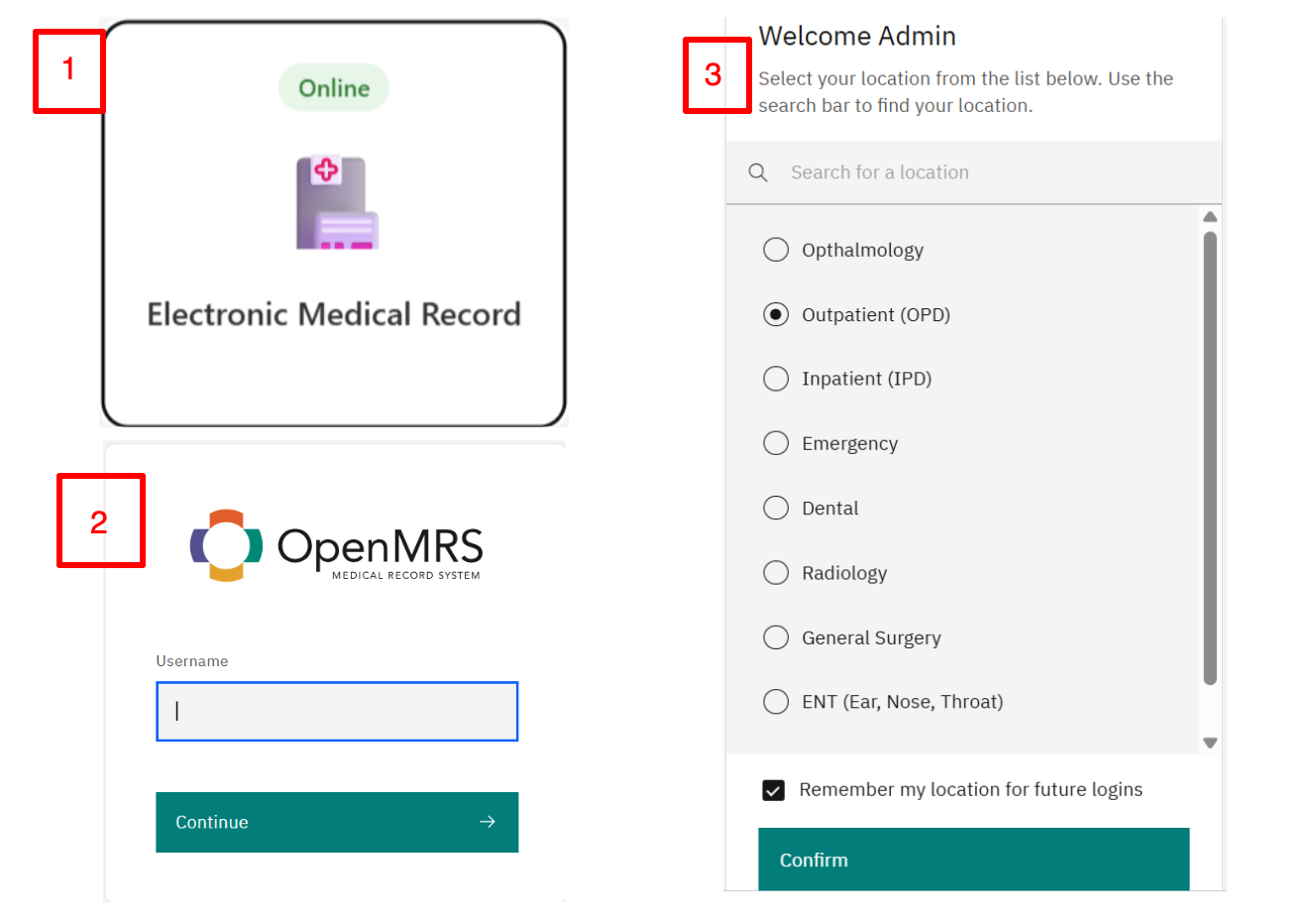
Every service provider — doctor, nurse, health assistant, or medical records staff — has a unique account with role-based access. To deliver care, the provider logs in with their credentials and selects the service location or department they are working from. This keeps clinical activity accurately attributed and maintains accountability across the system.
Service Queue
Registered patients are automatically placed in the correct service queue based on the Visit Department and Assigned Provider chosen during registration.
For example, a patient registered under the Outpatient Department (OPD) and assigned to a provider appears in that department's Today's Patients list and in the provider's My Patients list.
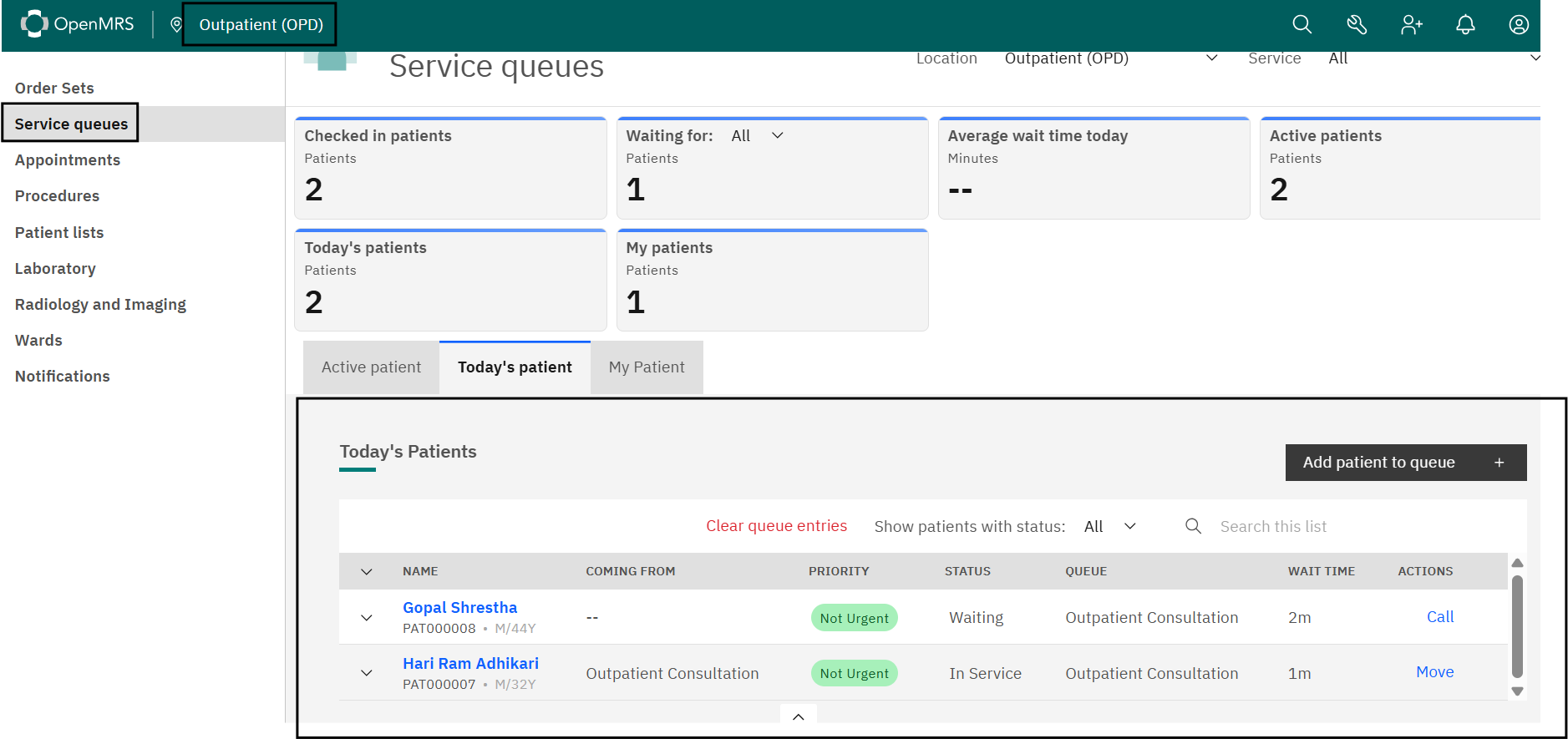
Registered patients stay active for 24 hours from the time of registration and appear in the Active Patients section. After 24 hours the visit is closed automatically and the patient drops off the list.
Note
Admitted patients are the exception. Their visit stays active beyond 24 hours and remains in Active Patients until the patient is formally discharged from the assigned bed or ward.
Serving a Patient
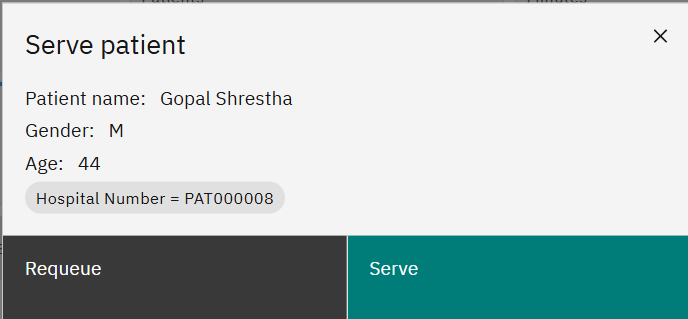
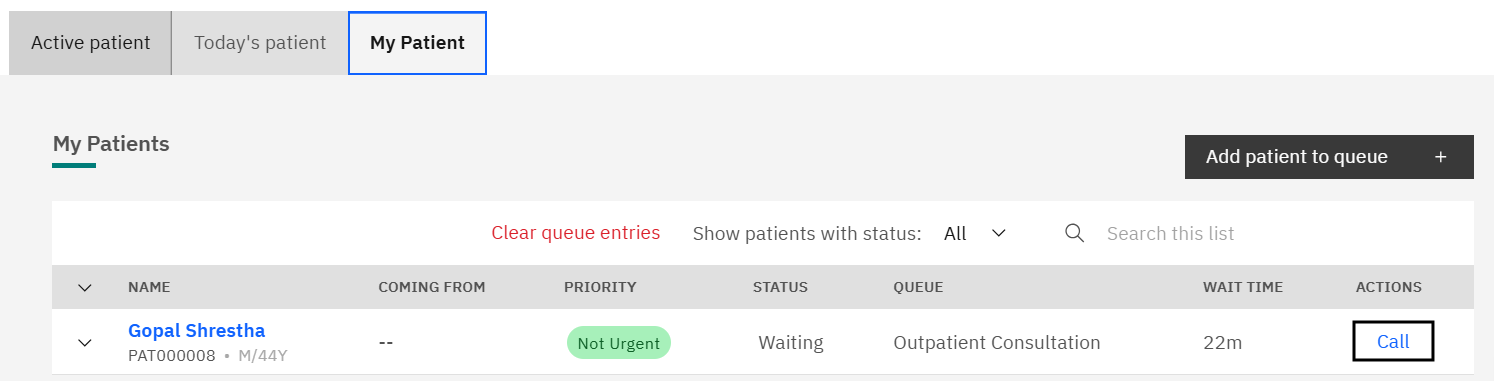
Start a consultation by selecting the patient from Active Patients, Today's Patients, or My Patients. You can also start directly with the Call button, which opens the patient's clinical profile.
Patient Summary Dashboard
The Patient Summary Dashboard gives a consolidated view of the patient: demographics, previous visits, observations, diagnoses, conditions, allergies, medications, lab results, and treatment history — all on one screen. This lets providers review a patient's full clinical history without searching through separate records.
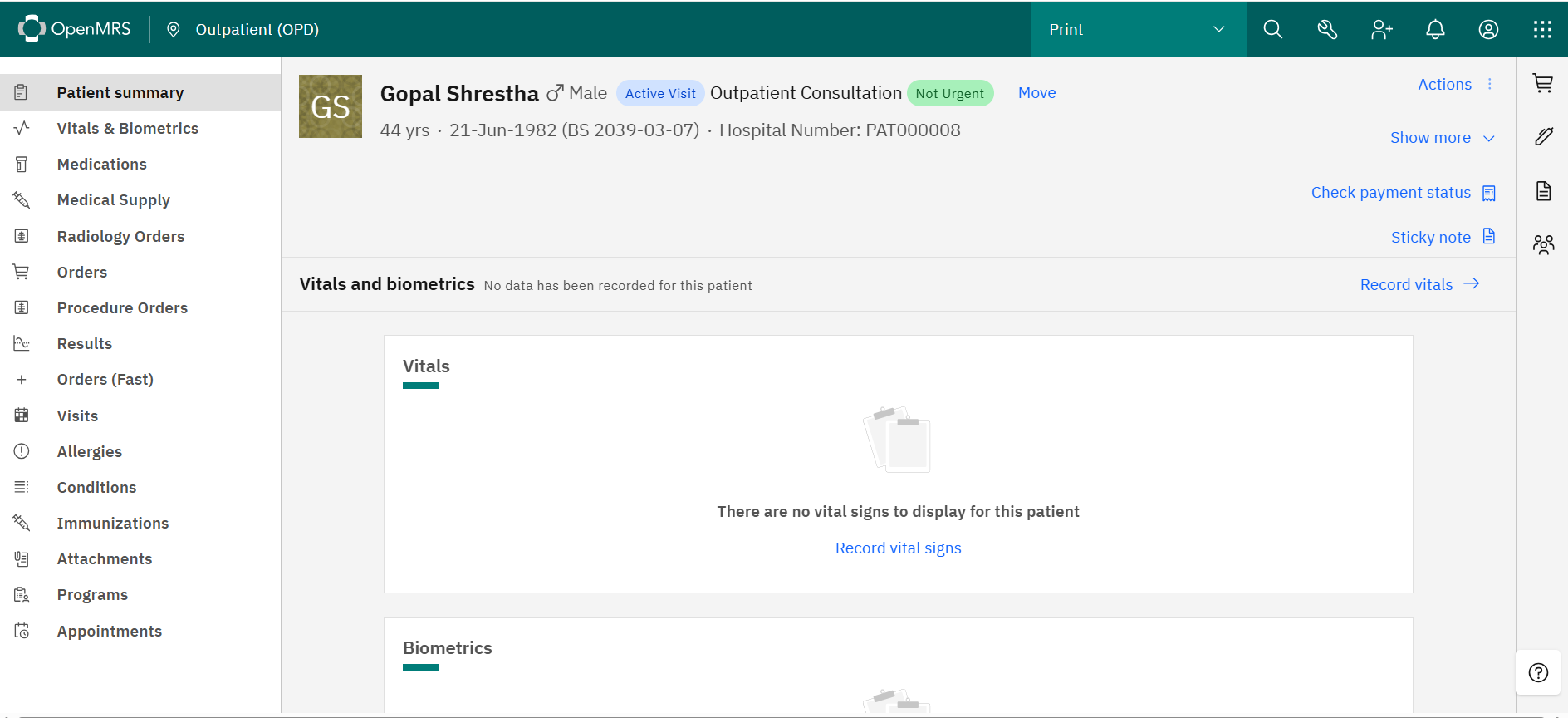
From here the consultation moves through recording vitals, completing observation forms, placing orders, recording diagnoses and conditions, noting allergies, deciding the patient's disposition, and printing the visit summary. Each step is covered in the pages that follow.