Order Sets
An Order Set is a predefined group of clinical orders that are commonly used together — laboratory tests, radiology investigations, medications, procedures, and medical supplies for a particular condition or treatment protocol. Instead of ordering each item one at a time, a clinician selects the Order Set and every item is added to the patient's Order Basket at once, ready to review, adjust, or remove before the order is placed.
Order Sets standardize prescribing for common protocols, cut the time spent placing repeat orders, and reduce manual errors.
Creating an Order Set
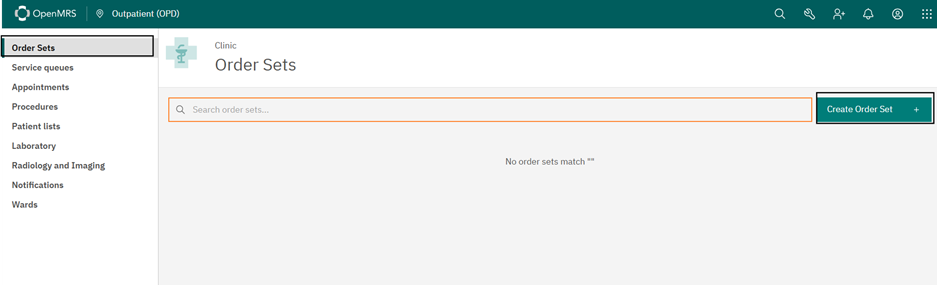
Open the Order Sets section from the clinical menu and select Create Order Set.
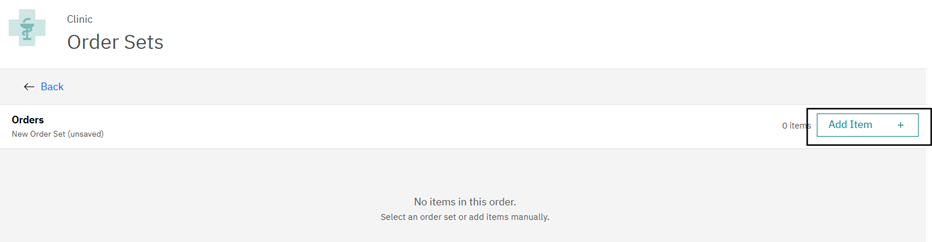
The new (unsaved) order set opens. Use Add Item to start adding orders to it.
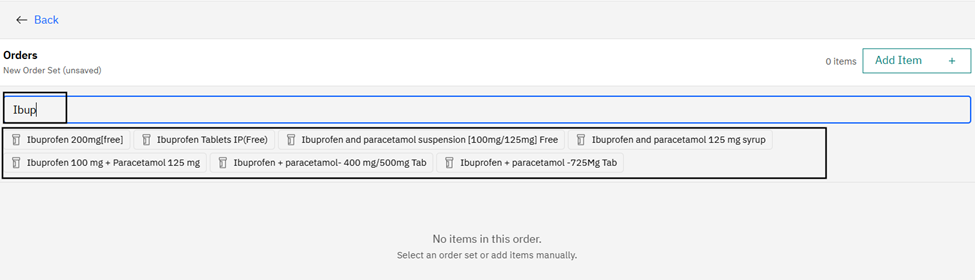
Search for the item in the search bar. As you type, matching tests, medicines, procedures, and supplies appear — for example, typing Ibup lists the available Ibuprofen products. Select the item to add it.
For a medication, set the prescribing details — dose, unit, route, frequency, duration, quantity, and instructions — so the drug is added with its prescribing information already filled in.
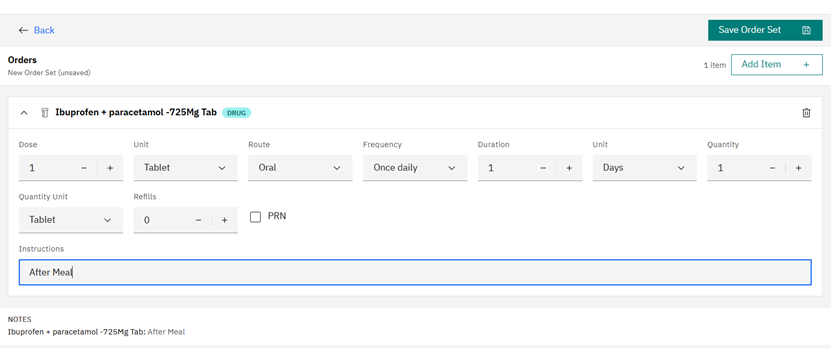
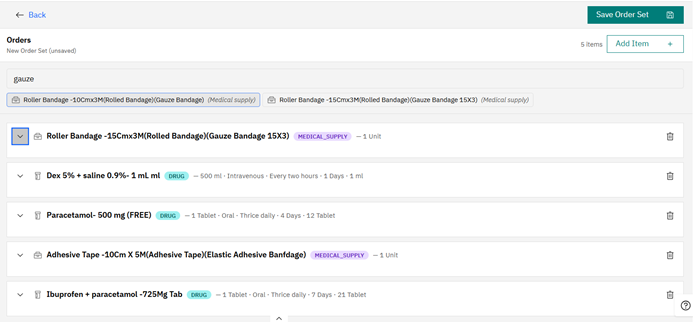
Add as many items as the protocol needs; an order set can mix drugs, lab and radiology orders, procedures, and medical supplies.
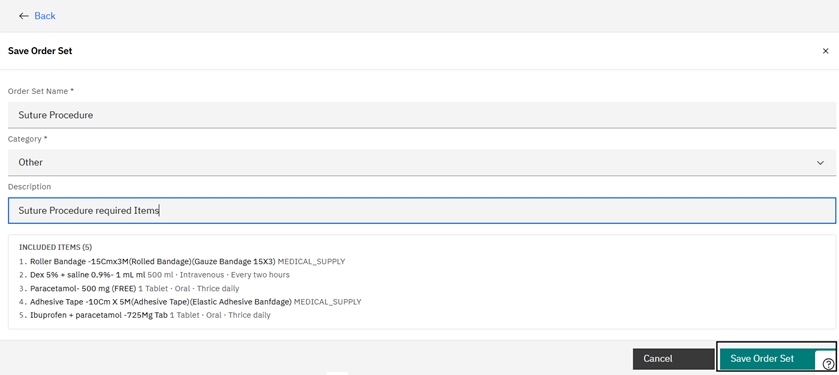
When the items are ready, select Save Order Set, give it a Name, choose a Category, and add an optional description. Save to make it available for use in consultations.
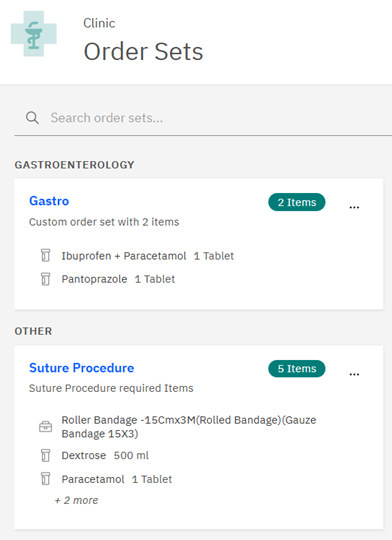
Saved order sets are grouped by category in the Order Sets list.
Using an Order Set
During a consultation, open the Order Basket and search for the order set by name. Select it to add all its items to the basket.
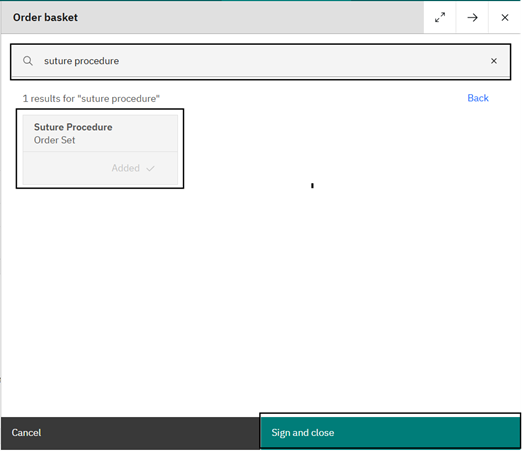
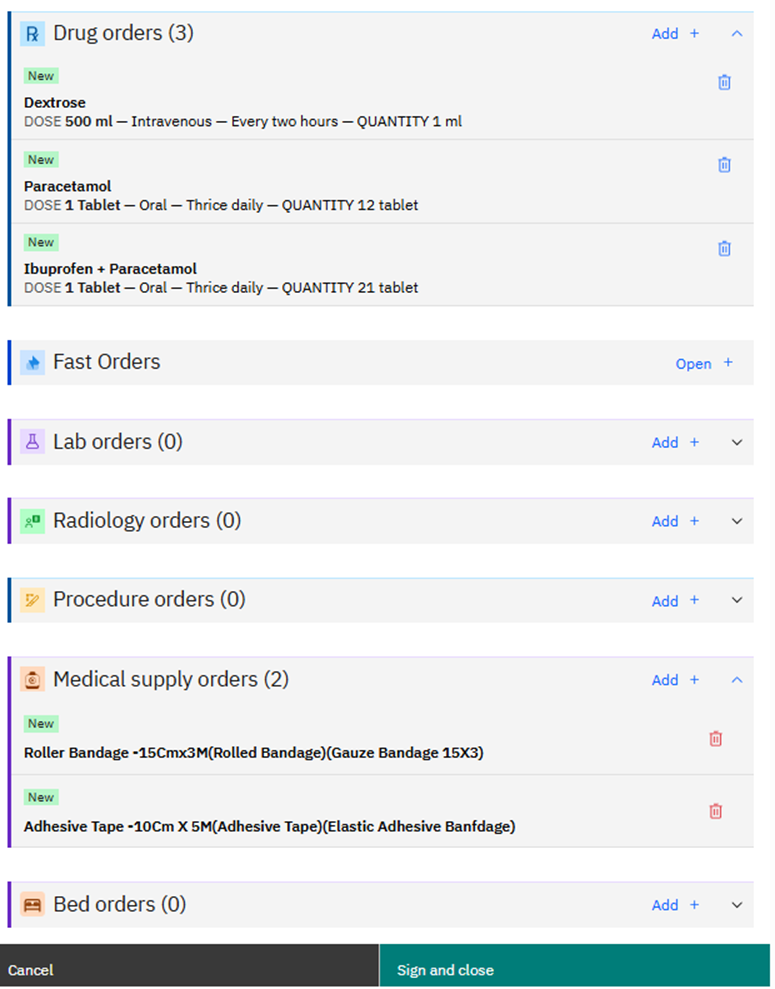
To place the order as it is, select Sign and close. To review or change the items first, select the order set and use Back — the basket lists every item, sorted into drug, lab, radiology, procedure, medical supply, and bed orders, where each can be adjusted or removed before signing.
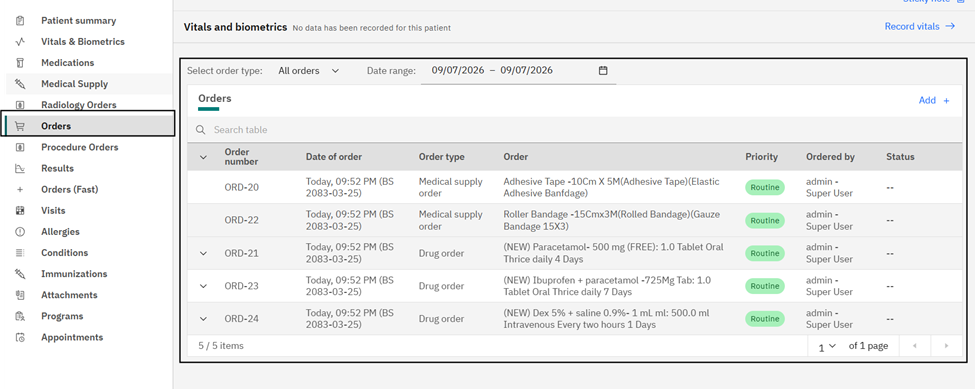
Once signed, every item in the order set appears in the Orders section of the patient dashboard, where staff can track the status of each ordered medication, test, investigation, procedure, or supply.